Give Unfamiliar Words Some Context
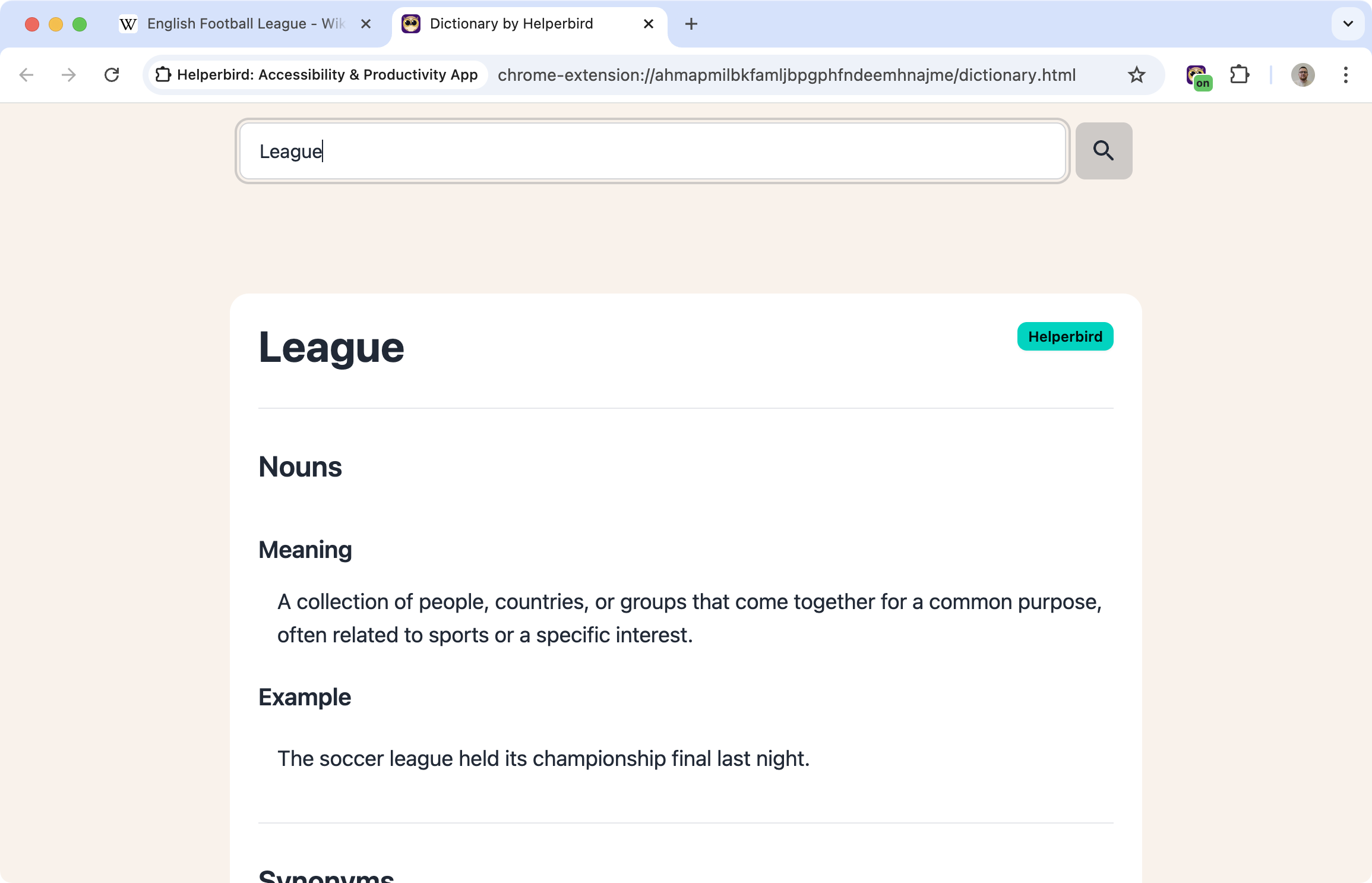
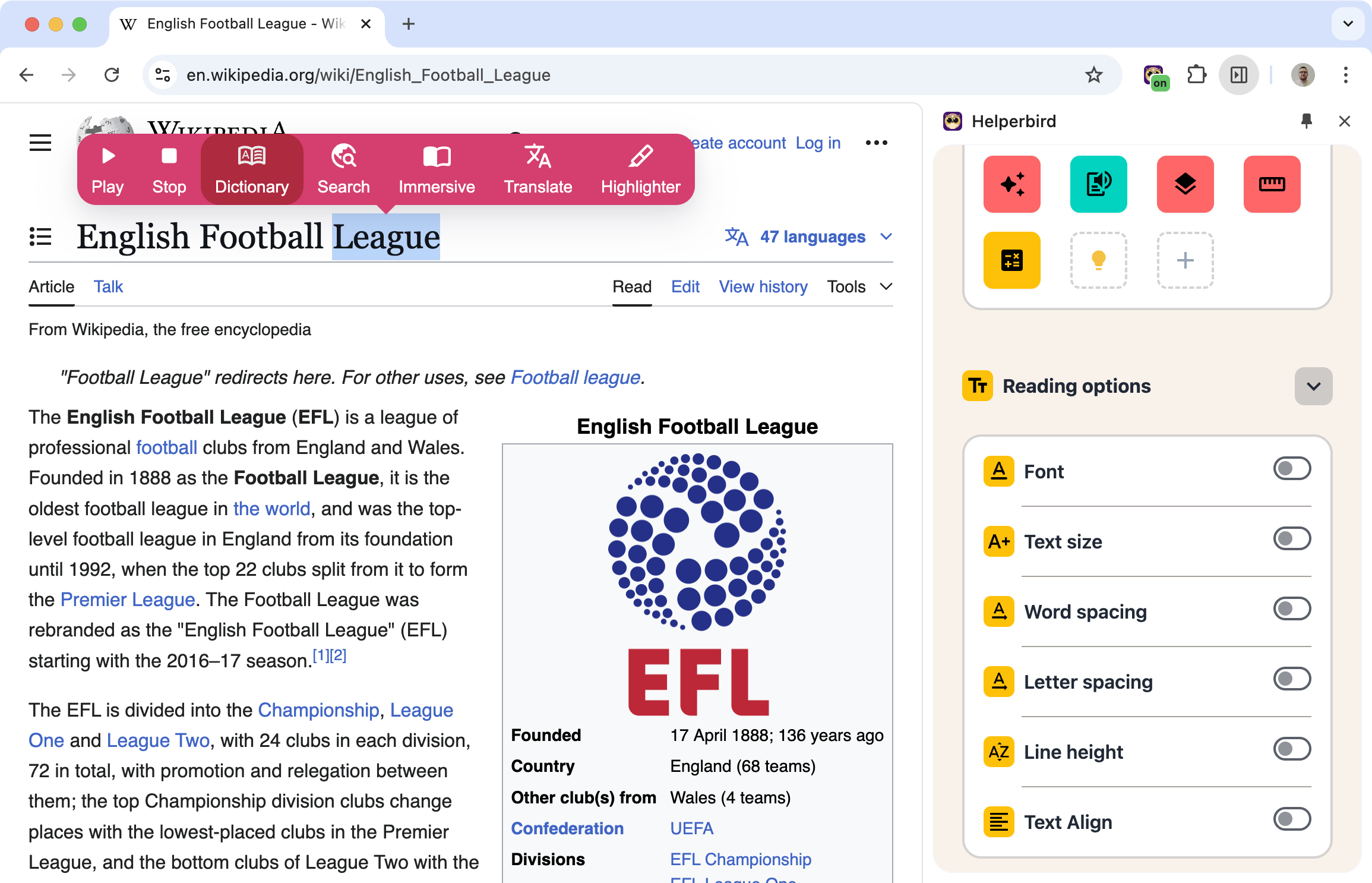
Open Helperbird's Dictionary to search for an English word or short phrase. The search-first page keeps definitions, examples, and related words together.
Enter your search and press Enter or the magnifying-glass button. Use the speaker buttons to hear the word or an example sentence aloud.
Learn how to use the dictionary
Related features
- Google Translate - Translate unfamiliar words into your native language instantly.
- Highlight Menu - Mark and save important words while you read.
- Text to Speech - Hear the correct pronunciation of words you look up.
What You Get
Definitions: Clear explanations of what the word means, including different meanings if there are multiple.
Synonyms: Similar words you could use instead.
Read aloud: Hear the word and its example sentences using your browser's speech support. Pronunciation text appears when available.
Examples: See how the word can be used in a sentence.
Opposite words: Explore antonyms when the result includes them.
Part of speech: Whether it's a noun, verb, adjective, etc.
Search, Listen, and Keep Exploring
Select a similar or opposite word to look it up next. Use your browser's Back and Forward buttons to revisit lookups in the current tab. The Dictionary no longer keeps a separate recent-search list.
Definitions are AI-generated by Helperbird and can contain mistakes. The Learn more on Wikipedia link offers further reading; it is not the source of the definition. Check important meanings against a trusted reference.
Who Uses This
Students reading academic texts with unfamiliar vocabulary.
Language learners building English vocabulary.
Readers who encounter new words and want to understand them in context.
Writers looking for the right word or checking usage.
Is This Free?
Dictionary lookups require Helperbird Pro and an internet connection. Searches can contain up to six words or 120 characters.