Break Up Walls of Text
Some pages are just dense blocks of text with nothing to break them up. It's easy to lose your place or feel overwhelmed before you even start reading.
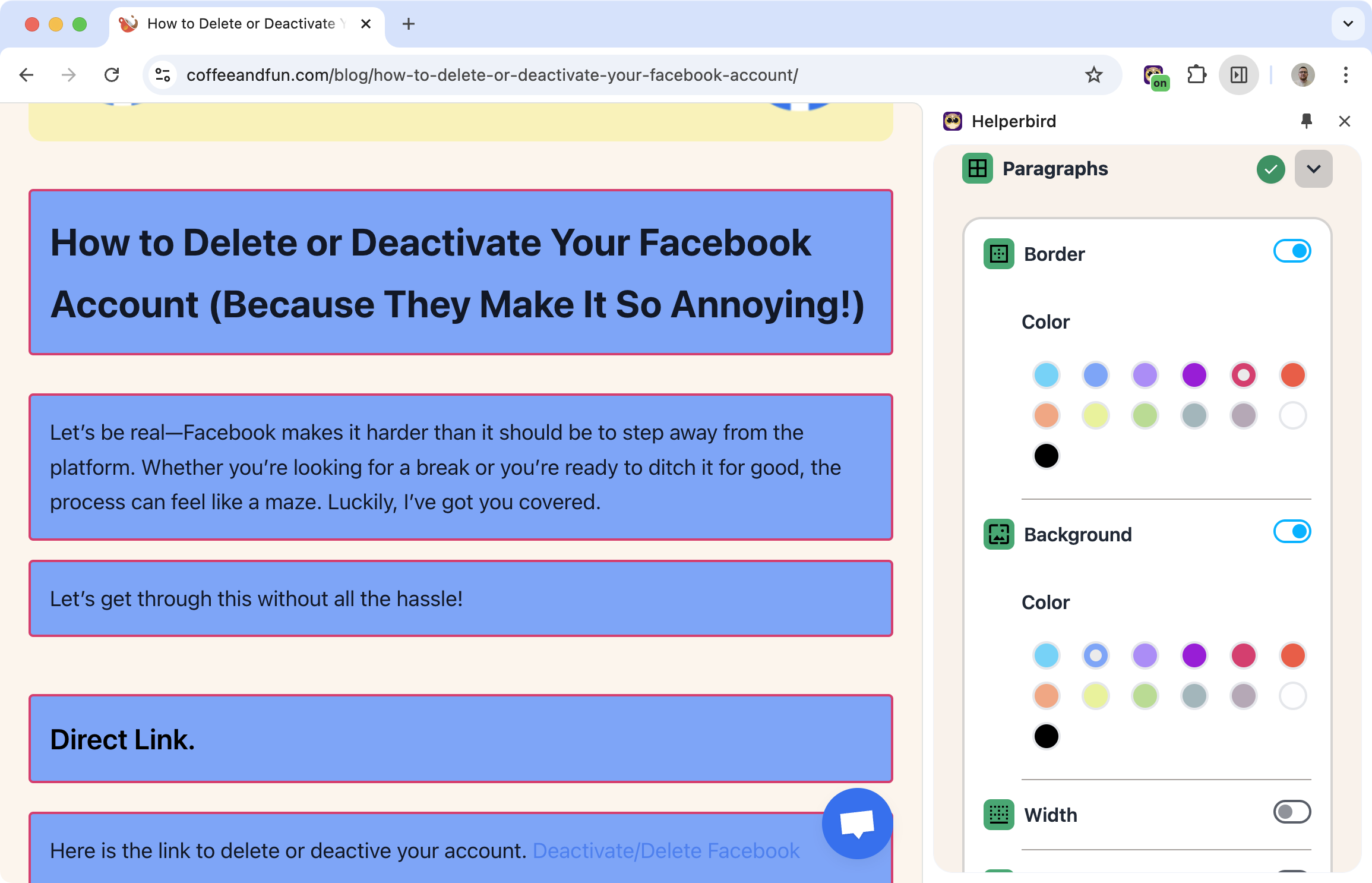
Paragraph borders add visual separation between sections. Each paragraph gets its own space, making it easier to see where one ends and the next begins.
Learn how to highlight paragraphs
Related features
- Reading Guide - Use a horizontal line to track your position across paragraphs.
- Color Overlay - Add a background tint that complements paragraph borders.
- Highlight Menu - Highlight specific words and phrases within paragraphs.
What You Can Customize
Border color: Pick any color that helps you see the separation clearly. It is the only border setting. The line itself is always solid and 2px wide, with rounded corners, and it goes around headings as well as paragraphs.
Background and Width are separate toggles in the same Paragraphs panel. Background puts a color behind each paragraph. Width narrows the text column.
Why This Helps
Track your position: When every paragraph has a clear boundary, it's easier to keep your place.
Reduce overwhelm: Dense text becomes less intimidating when it's visually broken up.
Support ADHD and dyslexia: Visual structure can help maintain focus and reduce the "jumping" sensation some readers experience.
Who Uses This
Readers with dyslexia or ADHD who benefit from visual structure.
Students reading long academic texts or research papers.
Anyone who finds dense paragraphs hard to follow.
Is This Free?
Yes. Paragraph borders are free in Helperbird.