
Space to read
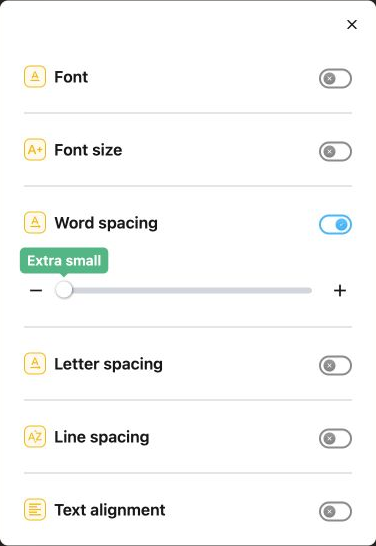
Change the font and text size, then adjust word, letter, and line spacing. Try fonts including Lexend, OpenDyslexic, and Atkinson Hyperlegible.
Read webpages aloud, make text more comfortable, and keep your place as you read. Your Helperbird tools, right in Safari.
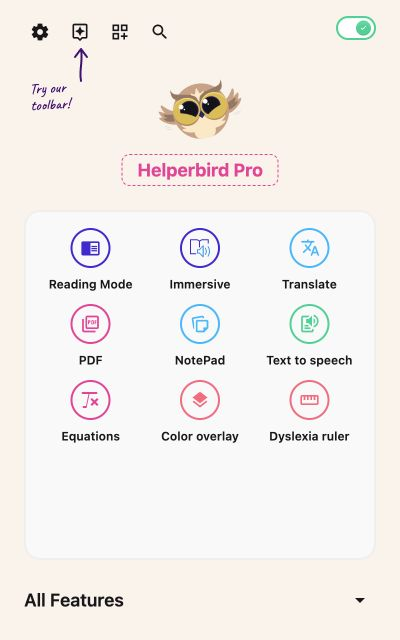
Over 1,000,000 people use Helperbird to customize the web to their needs.





Open a tool, adjust it, and return to your reading. Choose the settings that feel comfortable to you.
Change the font and text size, then adjust word, letter, and line spacing. Try fonts including Lexend, OpenDyslexic, and Atkinson Hyperlegible.
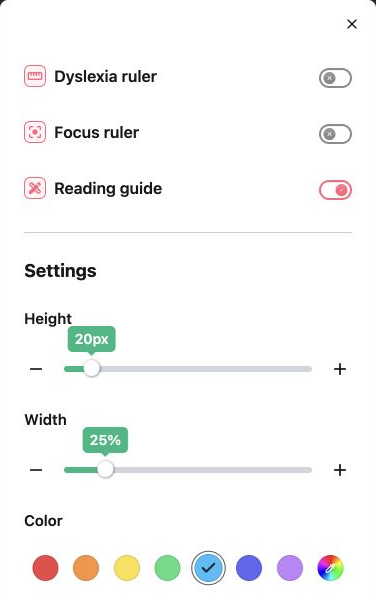
Use a reading guide to mark the line you are reading. Set its height, width, and color, or try the dyslexia ruler and focus ruler.
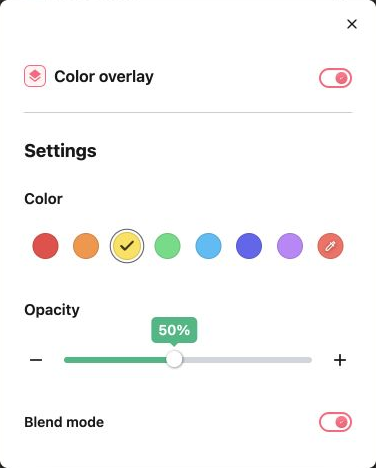
Add a tint over the page. Pick from seven colors or choose your own, then adjust opacity and blend mode to suit your reading.
Some tools require Helperbird Pro.
Listen to text while you browse. Choose a voice and reading speed that work for you. Available voices depend on your device.
Open an article in a simpler layout, with fewer distractions around the words you want to read.
Open text in Microsoft's reader for read aloud, line focus, and reading preferences.
Install the app, enable the extension, then open Helperbird on a webpage.
Get Helperbird from the App Store on your iPad or iPhone. Open the app for the setup walkthrough.
In Settings, open Apps → Safari → Extensions → Helperbird. Turn it on and choose which websites it can access.
Visit a webpage in Safari. Open the page menu or extensions button, choose Helperbird, and turn on its main switch.
Helperbird's extension works on webpages in Safari. It does not change text inside other apps or the iPad interface.
Yes. Enter your subscription key in Helperbird's settings on each device. Follow our subscription key guide. Safari on iOS does not use the Google or Microsoft sign-in flow.
Set up your reading preferences on each device. Helperbird does not automatically sync your desktop browser settings into Safari on iPad or iPhone. See the iOS and desktop differences.
Check that Helperbird is enabled in Safari, has permission for the website, and its main switch is on. Refresh the webpage after enabling it. Text inside images cannot be changed with font or spacing settings.
Join over 1,000,000 people who use Helperbird every day.
makes Helperbird my first choice ...
Have an amazing collection of assistive tools that have benefits for everyone. For me, the combination of Microsoft's Immersive Reader and Apple's reading machine voice (US Alex) makes Helperbird my first choice for processing web content.
Saw it mentioned at Cast last night! Love Immersive Reader.
Great app for anyone who is reading a lot on their browser.
Bring your reading tools to Safari on iPad and iPhone.
Download on the App Store (opens in a new tab)