Find your reading rhythm.
Choose your voice and speed, move between pages, and use search to find the part you need.
Say hello The new Helperbird for iPhone
Reading and writing support, wherever the day takes you. Helperbird puts PDF read-aloud, notes, and accessibility tools in your pocket.
Free PDF tools. No account needed. A little more you.
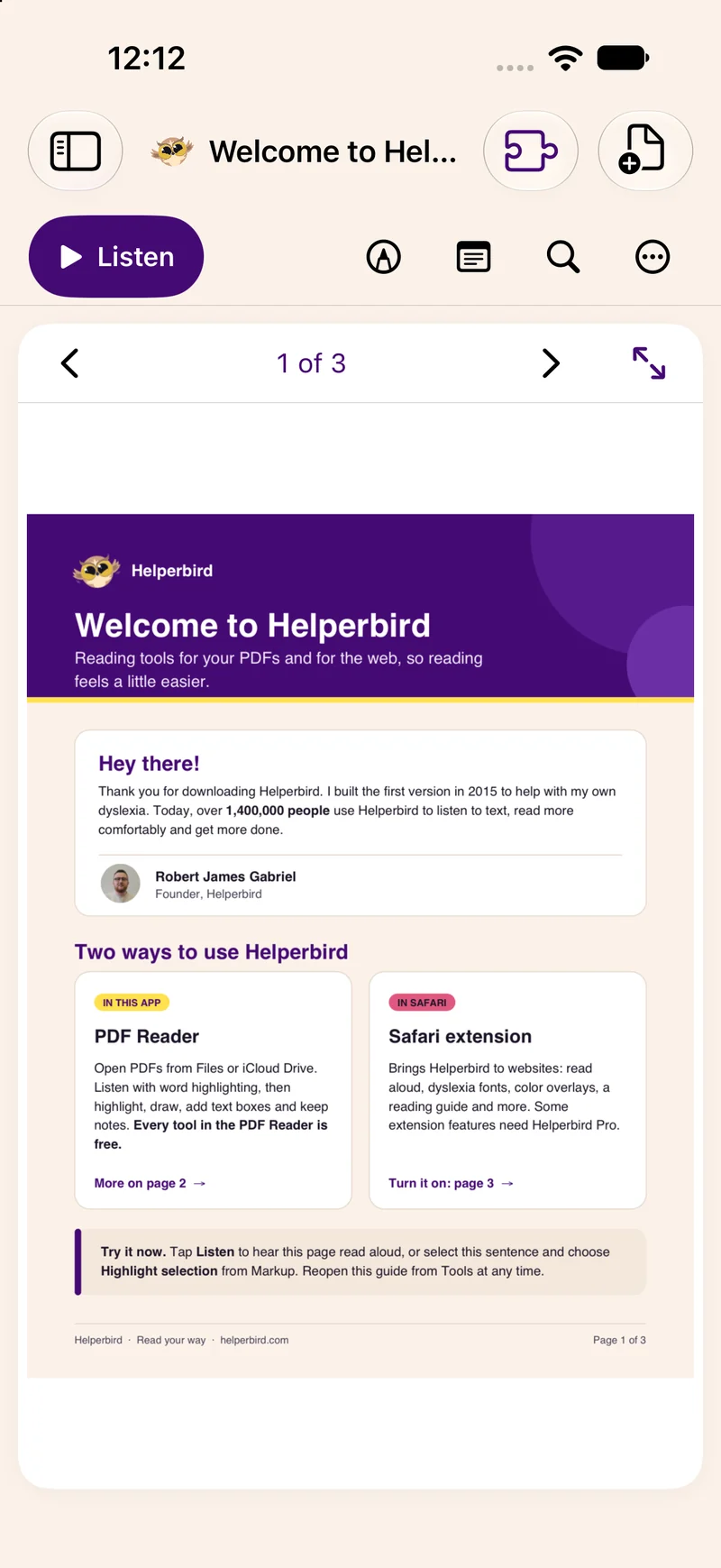
Read, listen, and annotate
A space for your writing
Built for iPhone
Meet your new PDF Reader
Pick up a document and make the moment yours. Your reading tools are right there, even when your desk is not.
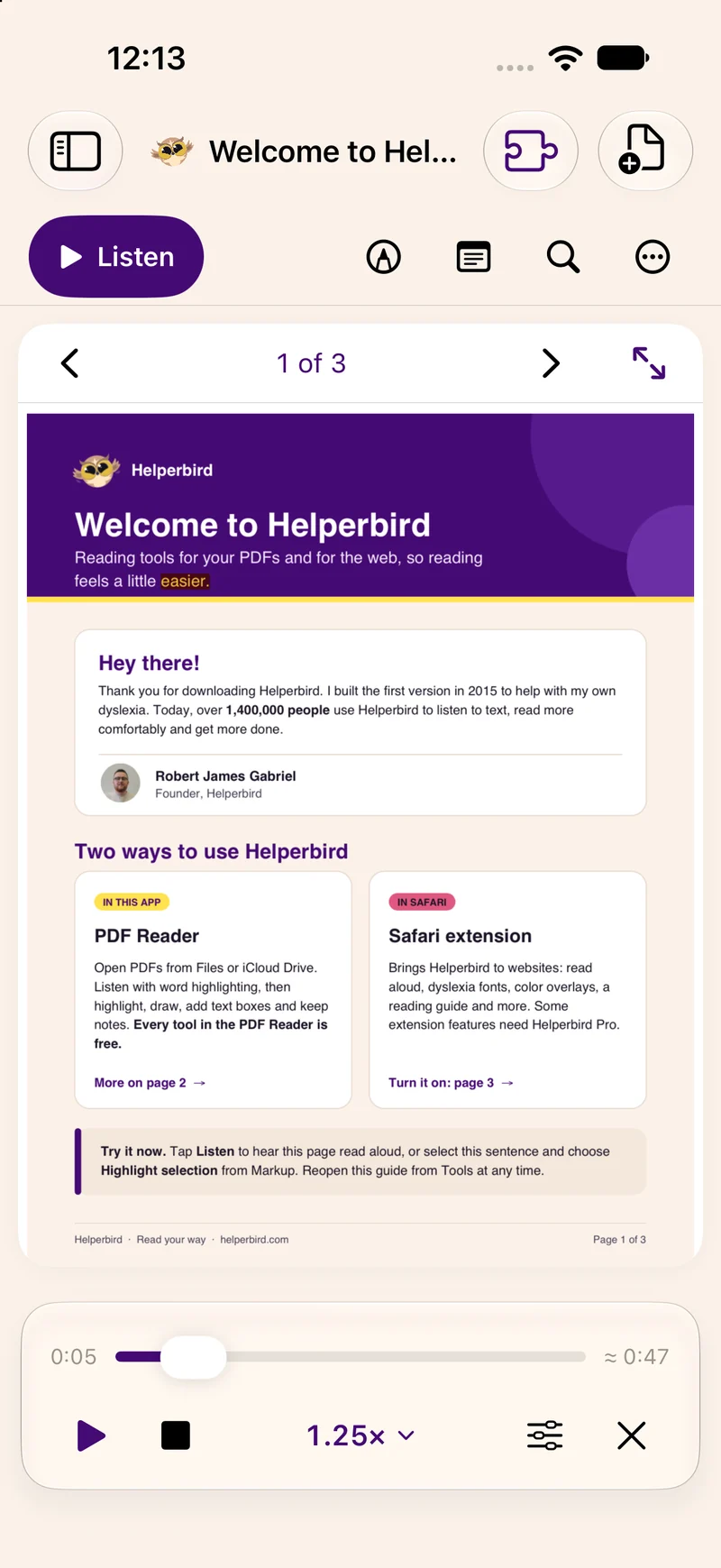
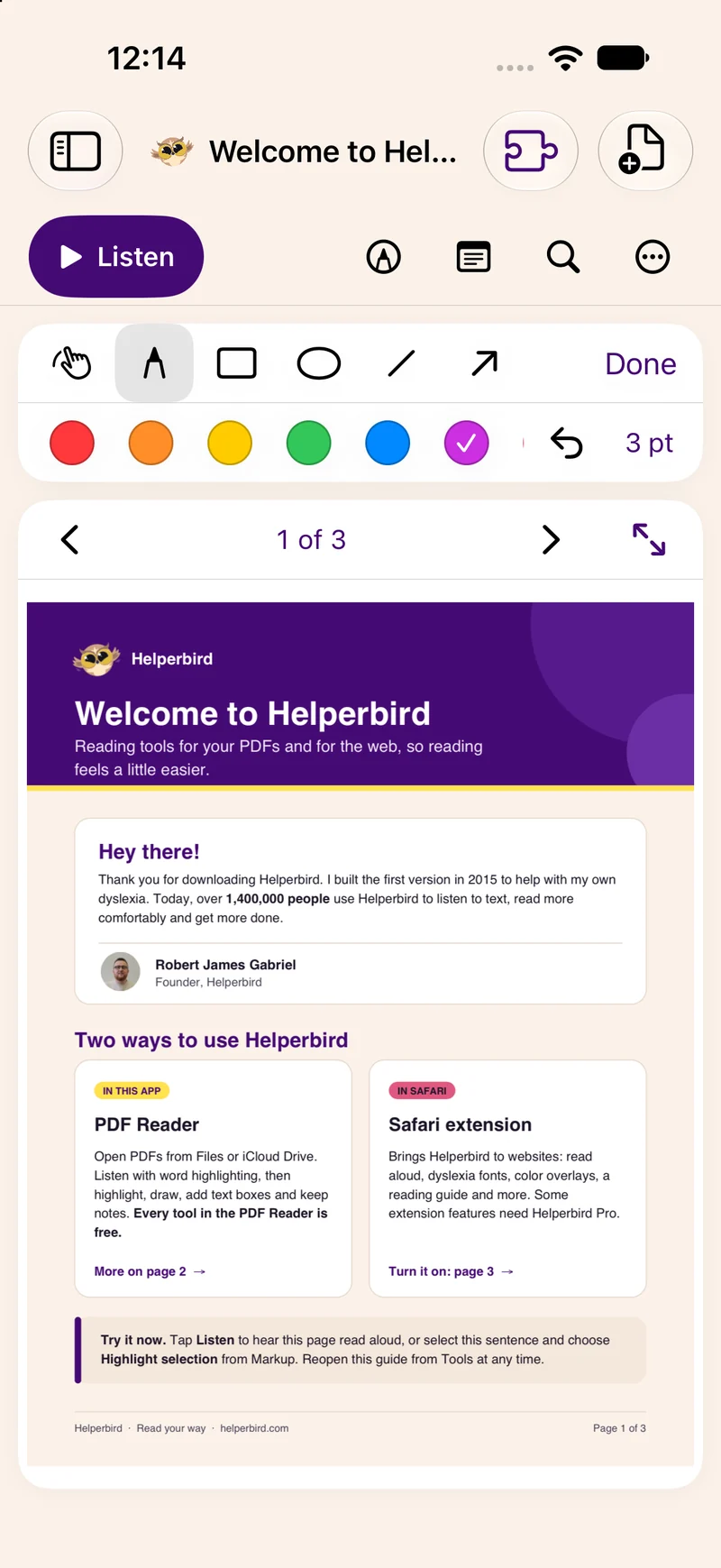
Choose your voice and speed, move between pages, and use search to find the part you need.
Draft an answer, jot a note, or draw a connection. Add editable text boxes to your PDF and keep your ideas with the page.
Export your annotated PDF or your notes. Your original file stays untouched, and your ideas come with you.
A little space for your ideas
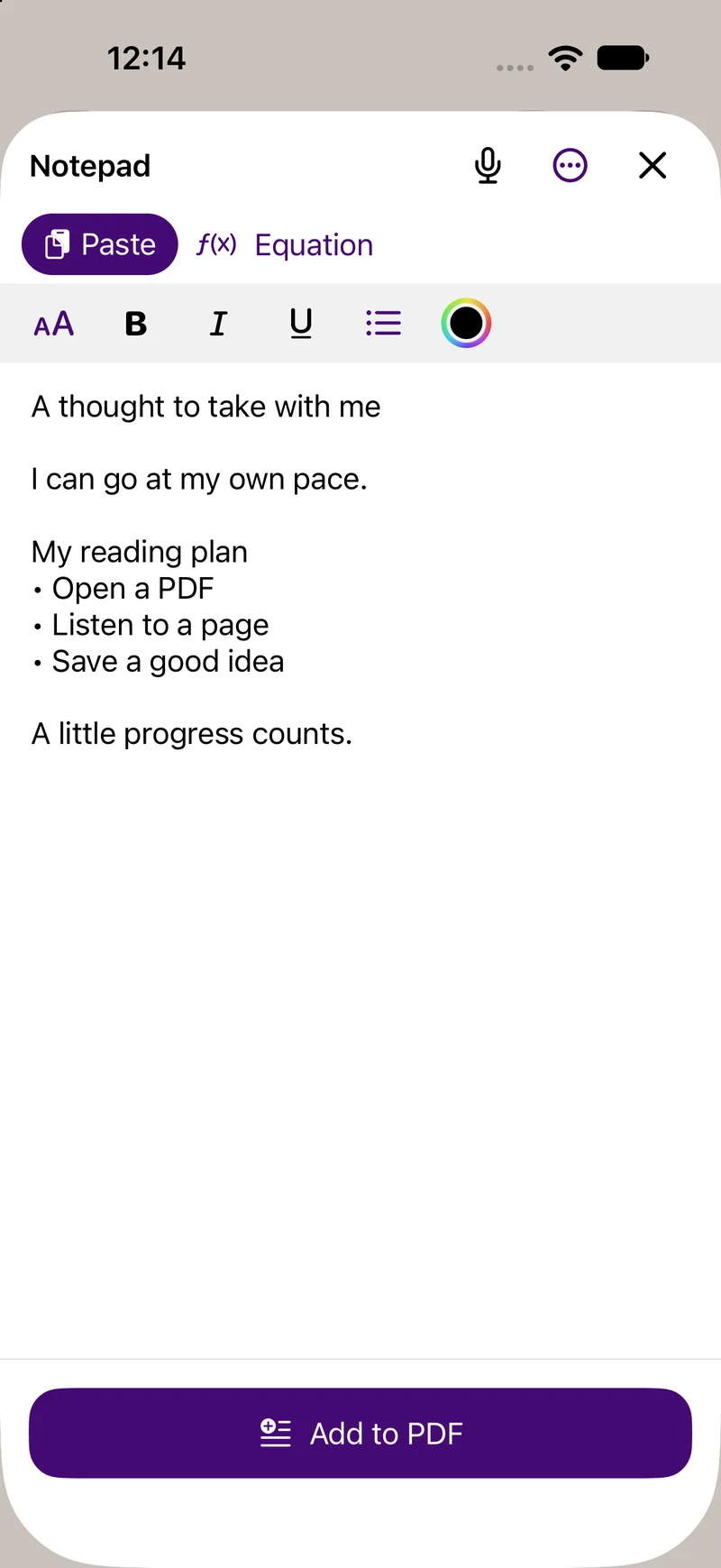
Keep your writing close, even when your desk is not. Open the notepad to jot down an idea, draft a paragraph, or dictate a note when on-device speech recognition is available.
Accessibility, your way
Listen to a page, follow highlighted words, or turn a scan into text. Choose the reading support that works for you.
On-device intelligence
Ask for a summary or explanation of a selection or the current page. On supported devices, Apple Intelligence handles it on your device.
Requires iOS, iPadOS, or macOS 26 or later, a compatible device, and Apple Intelligence enabled. Availability varies by language and model readiness.
A compact player keeps your page in view. Open the larger playback controls when you need them, and choose a voice and pace that feel right.
Extract text from a scanned page with on-device text recognition. Then listen, copy, or share the words. Apple’s translation tools are available where supported.
Your reading is yours
The native PDF Reader keeps your documents and notes locally. Reading, text recognition, and summaries run on your device, with no Helperbird account or document upload to Helperbird’s servers.
Read our privacy policySafari extension included
Your accessibility tools can come browsing, too. Enable the included Safari extension for reading and writing support on the web, with adjustable fonts, spacing, color overlays, and tools to help you keep your place.
The PDF Reader’s tools are free. Some Safari extension features require Helperbird Pro.
Explore Safari supportYes. All native PDF Reader tools are free, with no account required. Apple Intelligence features depend on your device and system settings. Some tools in the separate Safari extension need Helperbird Pro.
Choose a PDF in Files and open it in Helperbird. The app keeps its own copy, along with your page position and notes. You can also start with the welcome PDF included in the app.
The notepad opens in a sheet over your document. Write your note, then close the sheet to return to the same PDF. Each document keeps its own notes.
The new native app requires iOS 17.4 or later. Summaries and explanations require a compatible device running version 26 or later with Apple Intelligence enabled and its model ready. Voice and translation availability depend on your device and language.
Each device keeps its own Helperbird library and notes. You can import documents from iCloud Drive and export your work to share it, but Helperbird does not automatically sync its libraries between devices.

Made for your kind of mind
Bring a PDF. Make a little room for yourself.
Get Helperbird for iPhoneiOS 17.4 or later · Free PDF Reader