
Two Ways to Translate
Helperbird gives you two routes, and they behave differently. Pick by whether you want to stay on the page.
Translate text reads what you selected and shows the translation in the Helperbird panel. You stay where you are.
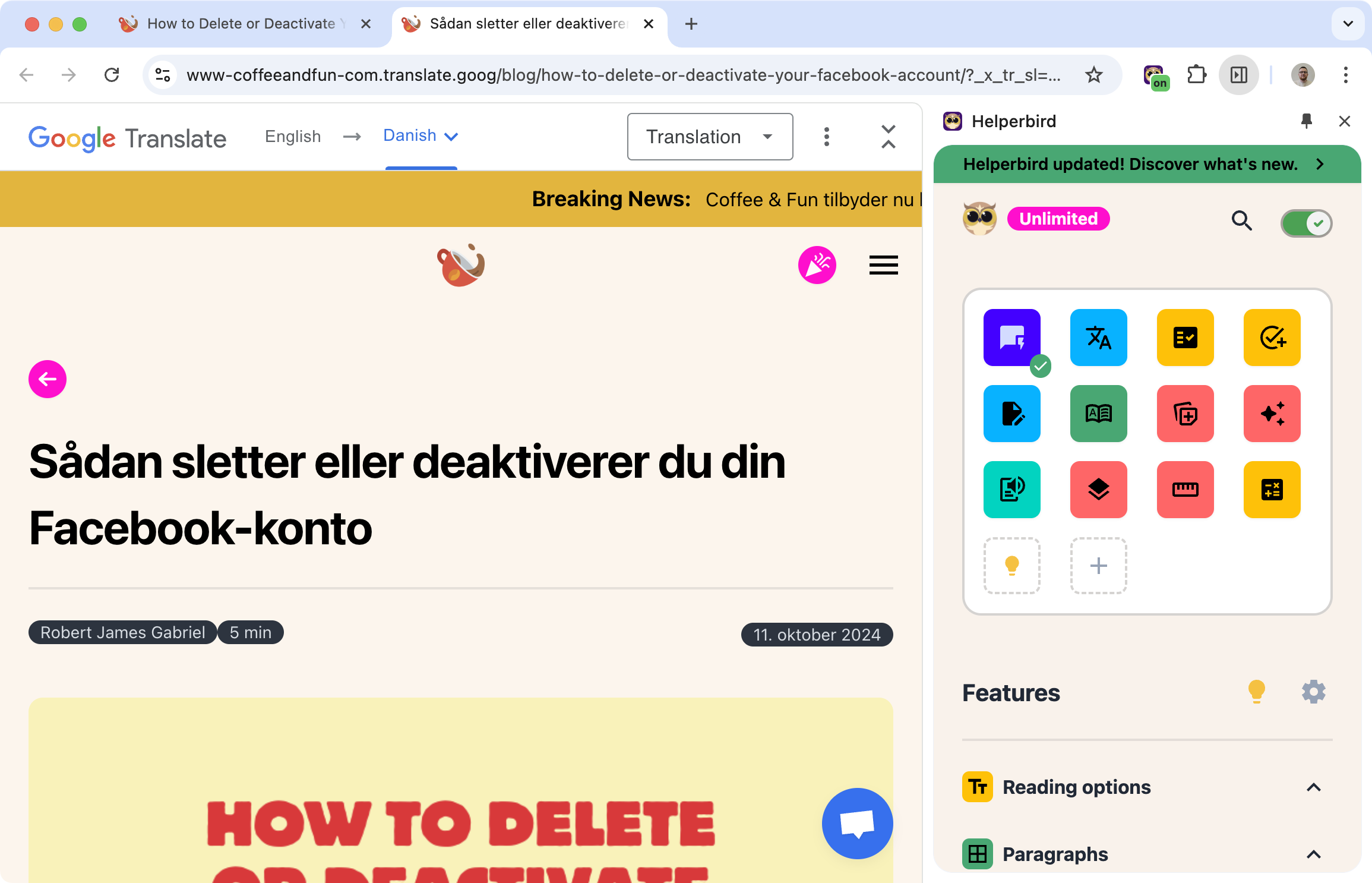
Translate page and the right-click menu hand the job to Google Translate, which opens in a new tab with the whole page translated.
Learn how to translate a webpage
Related features
- Reword and Simplify - Break down complex sentences into simpler language.
- Immersive Reader - Read translated text in a clean, customizable format.
- Dictionary - Look up word meanings and definitions while reading.
How It Works
To stay on the page:
- Select the text you want to translate
- Open Helperbird and choose Translate
- Pick your language and press Translate text
- The translation appears in the panel
To translate the whole page:
- Right-click anywhere on the page
- Choose Translate and pick your language
Google Translate opens in a new tab with the page translated. The same happens from the Translate page button in the Helperbird panel.
Why This Is Useful
Reading foreign websites: Understand articles, news, or documentation in other languages.
Learning languages: See translations in context while reading native content.
Research: Access sources in languages you don't speak fluently.
Work: Communicate with international colleagues or read documents from other regions.
Who Uses This
Language learners reading content in their target language.
Researchers accessing sources in multiple languages.
International professionals working with documents from different countries.
Travelers reading reviews, guides, or local websites.
Anyone who encounters text in a language they don't understand.
Supported Languages
Both routes offer the same 64 languages:
- 🇿🇦 Afrikaans
- 🇦🇱 Albanian
- 🇸🇦 Arabic
- 🇦🇿 Azerbaijani
- 🏴 Basque
- 🇧🇩 Bengali
- 🇧🇾 Belarusian
- 🇧🇬 Bulgarian
- 🏴 Catalan
- 🇨🇳 Chinese Simplified
- 🇨🇳 Chinese Traditional
- 🇭🇷 Croatian
- 🇨🇿 Czech
- 🇩🇰 Danish
- 🇳🇱 Dutch
- 🇬🇧 English
- 🏴 Esperanto
- 🇪🇪 Estonian
- 🇵🇭 Filipino
- 🇫🇮 Finnish
- 🇫🇷 French
- 🇪🇸 Galician
- 🇬🇪 Georgian
- 🇩🇪 German
- 🇬🇷 Greek
- 🇮🇳 Gujarati
- 🇭🇹 Haitian Creole
- 🇮🇱 Hebrew
- 🇮🇳 Hindi
- 🇭🇺 Hungarian
- 🇮🇸 Icelandic
- 🇮🇩 Indonesian
- 🇮🇪 Irish
- 🇮🇹 Italian
- 🇯🇵 Japanese
- 🇮🇳 Kannada
- 🇰🇷 Korean
- 🏴 Latin
- 🇱🇻 Latvian
- 🇱🇹 Lithuanian
- 🇲🇰 Macedonian
- 🇲🇾 Malay
- 🇲🇹 Maltese
- 🇳🇴 Norwegian
- 🇮🇷 Persian
- 🇵🇱 Polish
- 🇵🇹 Portuguese
- 🇷🇴 Romanian
- 🇷🇺 Russian
- 🇷🇸 Serbian
- 🇸🇰 Slovak
- 🇸🇮 Slovenian
- 🇪🇸 Spanish
- 🏴 Swahili
- 🇸🇪 Swedish
- 🇮🇳 Tamil
- 🇮🇳 Telugu
- 🇹🇭 Thai
- 🇹🇷 Turkish
- 🇺🇦 Ukrainian
- 🇵🇰 Urdu
- 🇻🇳 Vietnamese
- 🇬🇧 Welsh
- 🇮🇱 Yiddish
Is This Feature Free?
Yes, Helperbird offers free translation support for websites, text, PDFs, and even Google Docs.