
Mark What Matters
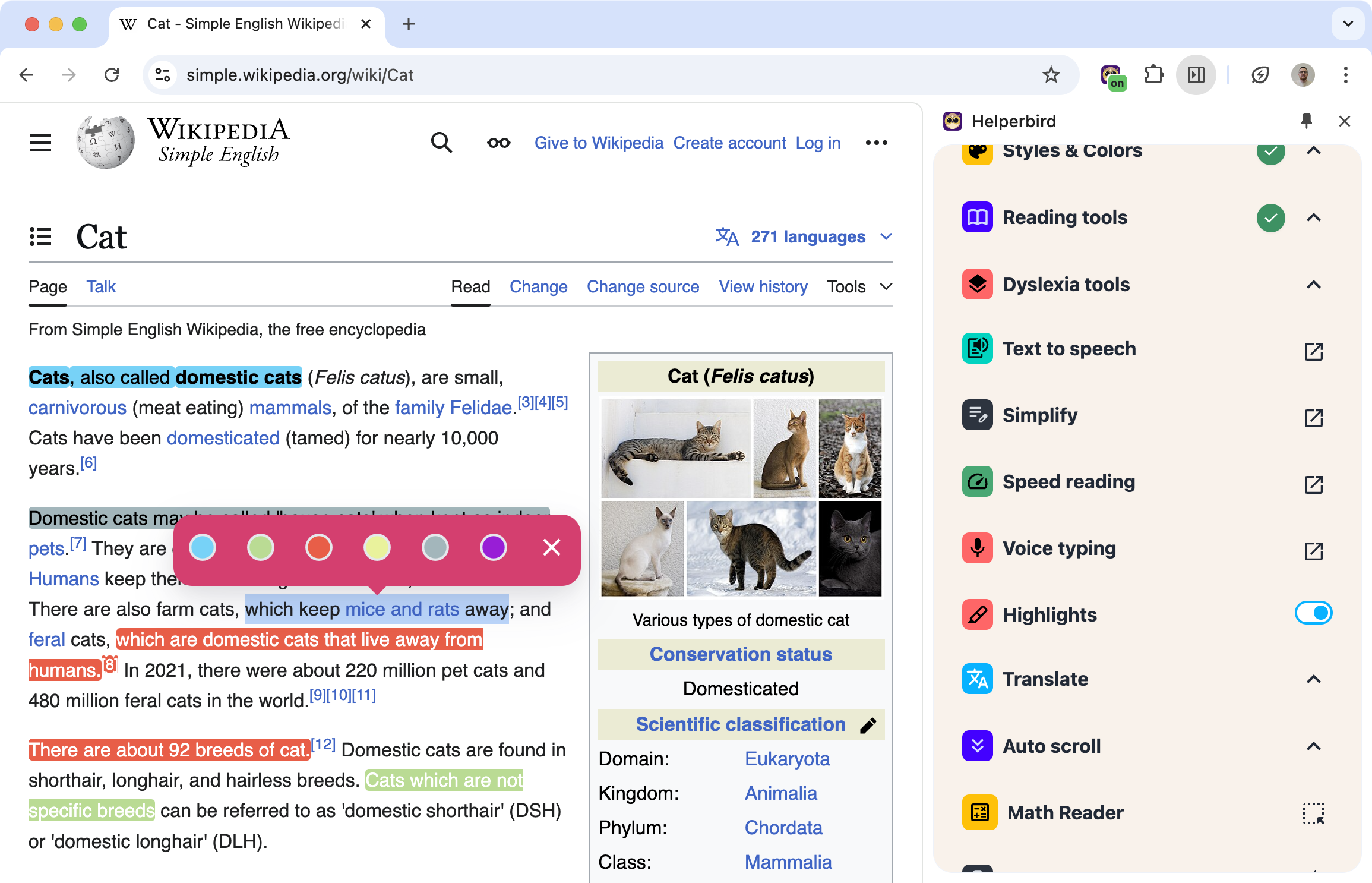
Reading something important? Highlight it. Different colors for different purposes. Come back later and your highlights are still there.
Works on websites and PDFs. Just select text, pick a color, done.
Learn how to use the Web Highlighter
Related features
- PDF Drawing Tools - Draw shapes, arrows, and freehand marks directly on PDFs.
- Sticky Notes & Annotations - Pair your highlights with notes for deeper engagement with content.
- Note Organizer - View all your highlights and retrieve them from a centralized dashboard.
- PDF Reader - Use highlighting and annotations across all your PDFs alongside other accessibility tools.
Multiple Colors
Use colors to organize your highlights:
- Yellow for key points
- Green for things you agree with
- Red for things to question
- Blue for definitions
Or use whatever system makes sense to you.
Your Highlights Stick Around
Highlights save automatically. Close the tab, come back tomorrow, they're still there. Return to a page you highlighted weeks ago and see exactly what you marked.
You can also export your highlights if you need them in another format.
Where It Works
Websites: Any article, blog post, or web content.
PDFs: Documents opened in your browser.
Select text, click highlight, pick your color.
Who Uses This
Students marking up research and study materials.
Researchers color-coding sources and findings.
Professionals highlighting key information in reports.
Anyone who wants to remember what was important on a page.
Is This Free?
Highlighting needs Helperbird Pro. On the free plan the menu still opens and the six colors still appear, and choosing one shows a note about Pro.
