
Skip to content
Contact Sales

Helperbird for Google Sheets

Every cell.
A little clearer.

Reading tools for the spreadsheet in front of you. Listen to your cells, translate selected text, and make longer entries feel more at home.

Free tools for Google Docs, Slides, and Sheets.

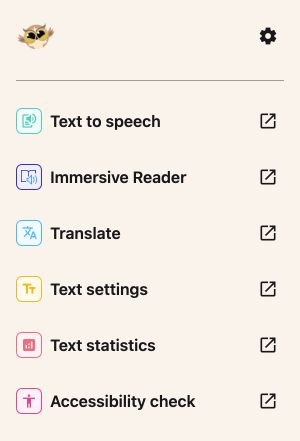
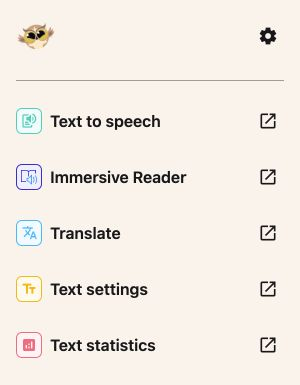
The Google Sheets sidebar with Text to speech, Immersive Reader, Translate, Text settings and Text statistics
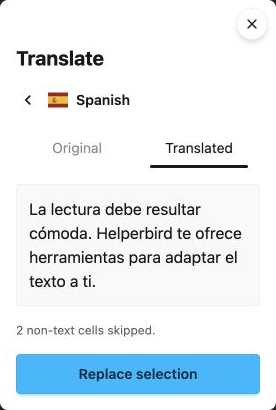
Sheets Translate preview with Original and Translated tabs and two non-text cells skipped
Your cells. A familiar sidebar. A little more clarity.

Reading tools

Take it in.
Your way.

Listen to a few cells or a whole selection. Give the words and numbers in your sheet another way to reach you.

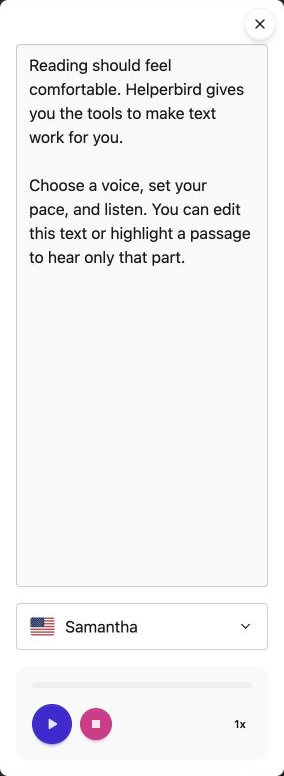
Listen with Text to speech

Hear displayed values, including formatted dates, currency, and formula results. Separate selections are read in row and column order, and overlapping cells are included once.

To hear part of a cell, load it into Text to speech and highlight the words in that tool’s text box. Editing the box does not change your cells.

Focus with Immersive Reader

Open selected text in Microsoft’s Immersive Reader for read aloud, line focus, and reading preferences.

Up to 1,200 characters per selection free. Pro supports longer selections.

Explore reading in Google Sheets
Helperbird Text to speech with editable text, a voice picker, Play, Stop and playback speed
Choose a voice. Find your pace.

Translate

New words.
Same cells.

Select cells or ranges, choose a language, and compare the translation before replacing. The preview shows how many non-text cells were skipped.

Translation replaces text cells only. Formulas, numbers, dates, checkboxes and empty cells are skipped. Select editable cells; replacement uses the original selection shown in your preview.

See how translation works
Sheets translation preview showing two non-text cells skipped and the Replace selection action
Take a look. Then make it yours.

Text settings

A little room
for every entry.

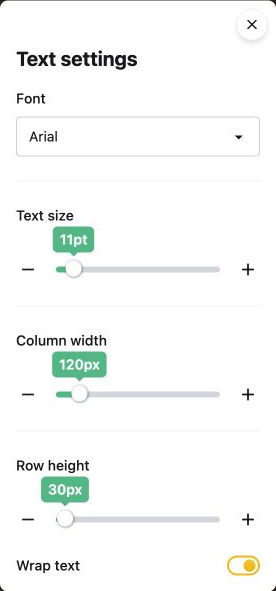
Choose a comfortable font and text size. Wrap longer entries, then adjust row height and column width to give the text room to fit.

Fonts and text size affect selected cells. Row height and column width affect their full rows or columns. Sheets uses wrapping and row height rather than line spacing.

Explore text settings in Google Sheets
Sheets Text settings with font, text size, column width, row height and Wrap text
A little space for the longer entries.

A fresh perspective

Little details.
A clearer picture.

Your words, at a glance.

Check word count, estimated reading time, and other useful measures. Change your selection and choose Recheck to take another look.

Text statistics shows 14 measures for your selection. Reading, speaking and writing times are estimates.

See the Google Sheets guide
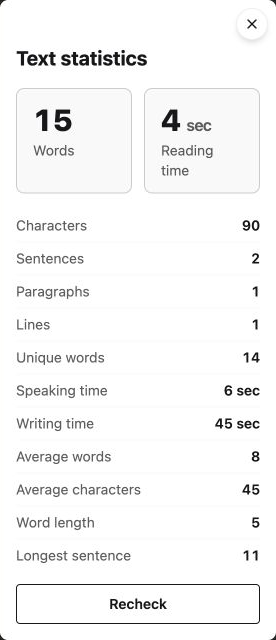

Helperbird Text statistics with word count, estimated reading time and Recheck
The shared Text statistics panel.

Ready when you are

A few clicks.
A little more support.

  1. 1

    Get the add-on

    Install Helperbird from Google Workspace Marketplace. Your school or workplace may need to approve it.

  2. 2

    Open your file

    Head to your file in Google Sheets.

  3. 3

    Meet your tools

    Choose Extensions → Helperbird → Open Helperbird.

Questions & answers.

A little more about Helperbird for Google Sheets.

Which tools are free?

Text to speech, Translate, Text settings and Text statistics work without a Pro key. Immersive Reader supports up to 1,200 characters per selection for free. Connect Helperbird Pro in Settings for longer selections.

What happens when I translate cells?

Sheets translation replaces only text cells in your selection. Formulas, numbers, dates, checkboxes, and empty cells are skipped. The preview shows a skipped-cell count so you can review it before replacing.

Can I listen to part of a cell?

Sheets gives add-ons the selected cells, including all their text. Load the cell into Text to speech, highlight the words you want in its text box, and press Play.

Which cells do text settings change?

Font and text-size changes apply only to selected cells. Row height and column width change the entire associated rows or columns. Use Wrap text for longer entries.

Is this the same as the browser extension?

The add-on brings selected Helperbird tools into Google Workspace. Page tools such as reading rulers, color overlays, and auto-scroll are in the Helperbird browser extension. Word prediction and grammar support are also extension features; they are not part of this add-on.

Can I use it with a school or work account?

Your administrator may need to approve or install the add-on. Start with the installation guide, or contact Helperbird support for help.

A little help from a real person? We’re here for you.

Your files. A little Helperbird.

Your next great thought
starts with a little help.

Reading, writing, and accessibility.
At home in Google Docs, Slides, and Sheets.

Get the Google add-on

Install once. Open it from the Extensions menu in your file.

Get Helperbird.

Choose your browser or app.

Browse Helperbird