Speak Maths, Chemistry, and Physics
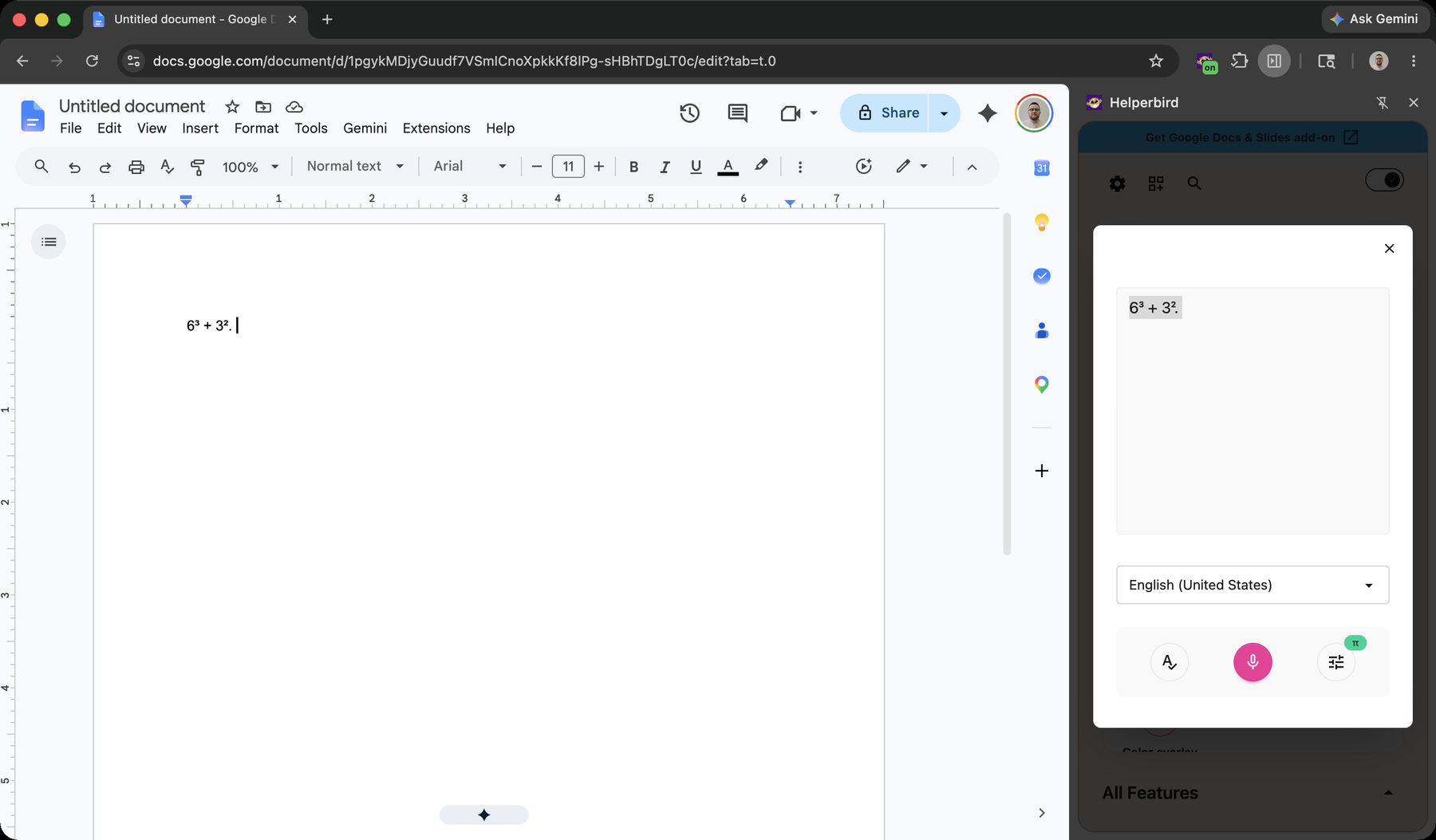
Dictate notation out loud and Helperbird writes it for you. Say "x squared plus three x" and get x² + 3x. Switch to Chemistry mode for "H two O" → H₂O, or Physics mode for "nine point eight metres per second squared" → 9.8 m/s².
Learn how to use Speech to Math
Related features
- Equation Editor - A full-page space to write, read, and export equations.
- Voice Typing - Dictate plain text on any website.
- Maths Reader - Hear maths read aloud with Immersive Reader.
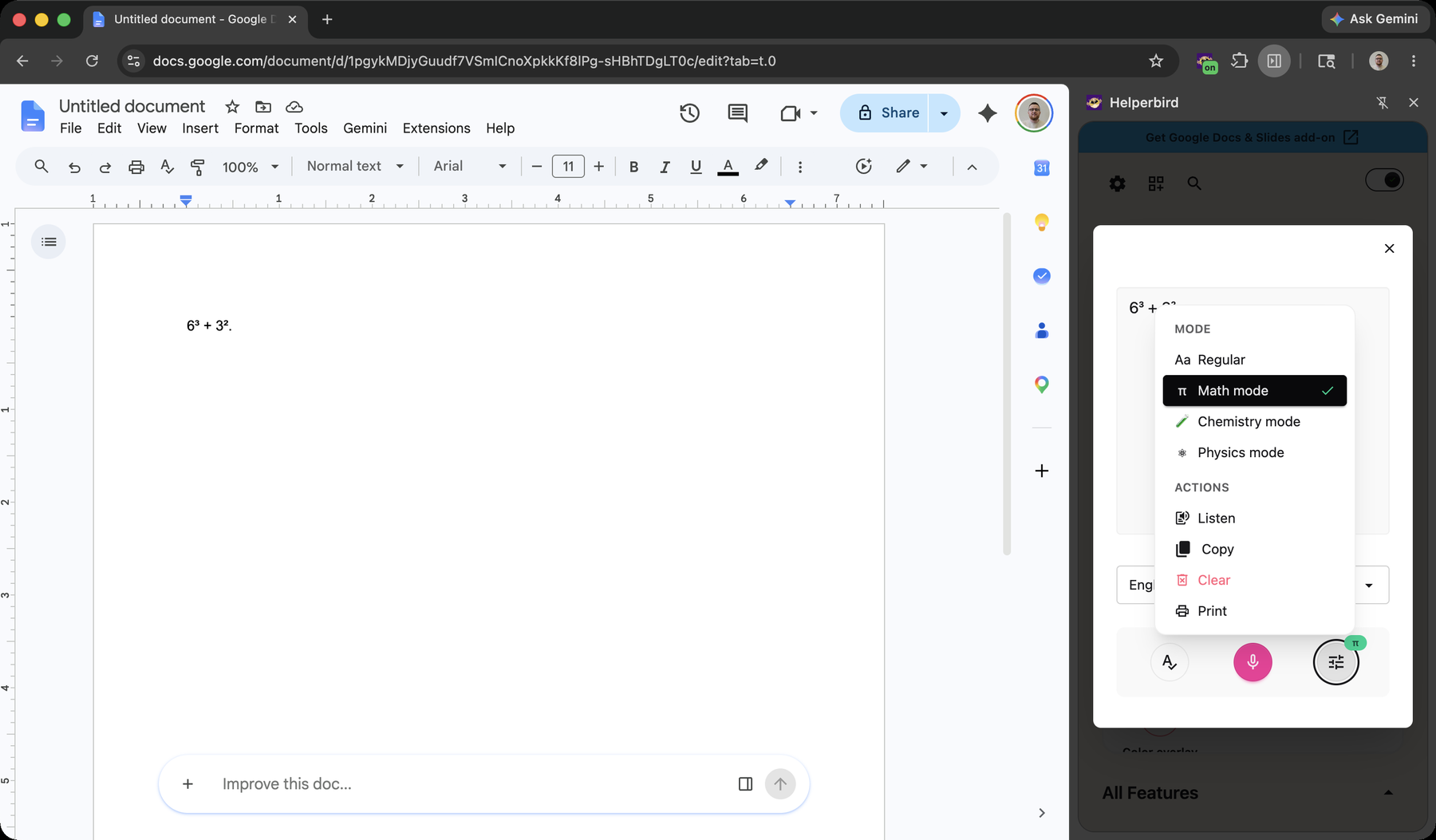
Three Modes for STEM
Math mode: "x squared plus three x" → x² + 3x, "square root of 72" → √72, "the integral from zero to one of x squared" → ∫₀¹ x². It covers Greek letters, fractions, exponents, roots, integrals, and more.
Chemistry mode: "H two O" → H₂O, "sulfate" → SO₄²⁻, "calcium hydroxide" → Ca(OH)₂. It even balances spoken equations and knows all 118 elements, ions, isotopes, and state symbols.
Physics mode: "ten newtons" → 10 N, "vector F" → F⃗ — units, vectors, and constants on top of everything Math mode does.
Learn how to use Chemistry and Physics voice typing
Where It Works
Speech to Math is available everywhere Helperbird offers voice typing: dictate into any website from the popup, into your notes in the PDF reader, or straight into the math field of the Equation Editor.
Who Uses This
Students working through maths, chemistry, and physics problems.
Anyone who finds typing notation slow, difficult, or painful.
Learners who think out loud and want their words captured as proper notation.
Admin Controls
Admins can enable or disable voice typing — and any other Helperbird feature — for their organization using managed JSON policy in the Google Admin Console or Microsoft Intune.
See How to Disable Helperbird Features Using JSON Policy.
Is This Free?
Speech to Math is part of voice typing, a Helperbird Pro feature.