
How to Open a Page from Your Helperbird Reading List

Learn how to open a page you saved to your Helperbird Reading list, and how to read it with Helperbird's reading tools once you are there.

·

  • features

What This Does

Opens one of your saved pages so you can read it.


Who is This For?

This is helpful for:

  • Anyone coming back to something they saved earlier
  • Students working through a set of sources one at a time

Step 1: Open Your List

Open your Reading list from the Helperbird popup. See how to open your reading list.


Step 2: Click the Page

Click anywhere on a row and that page opens.
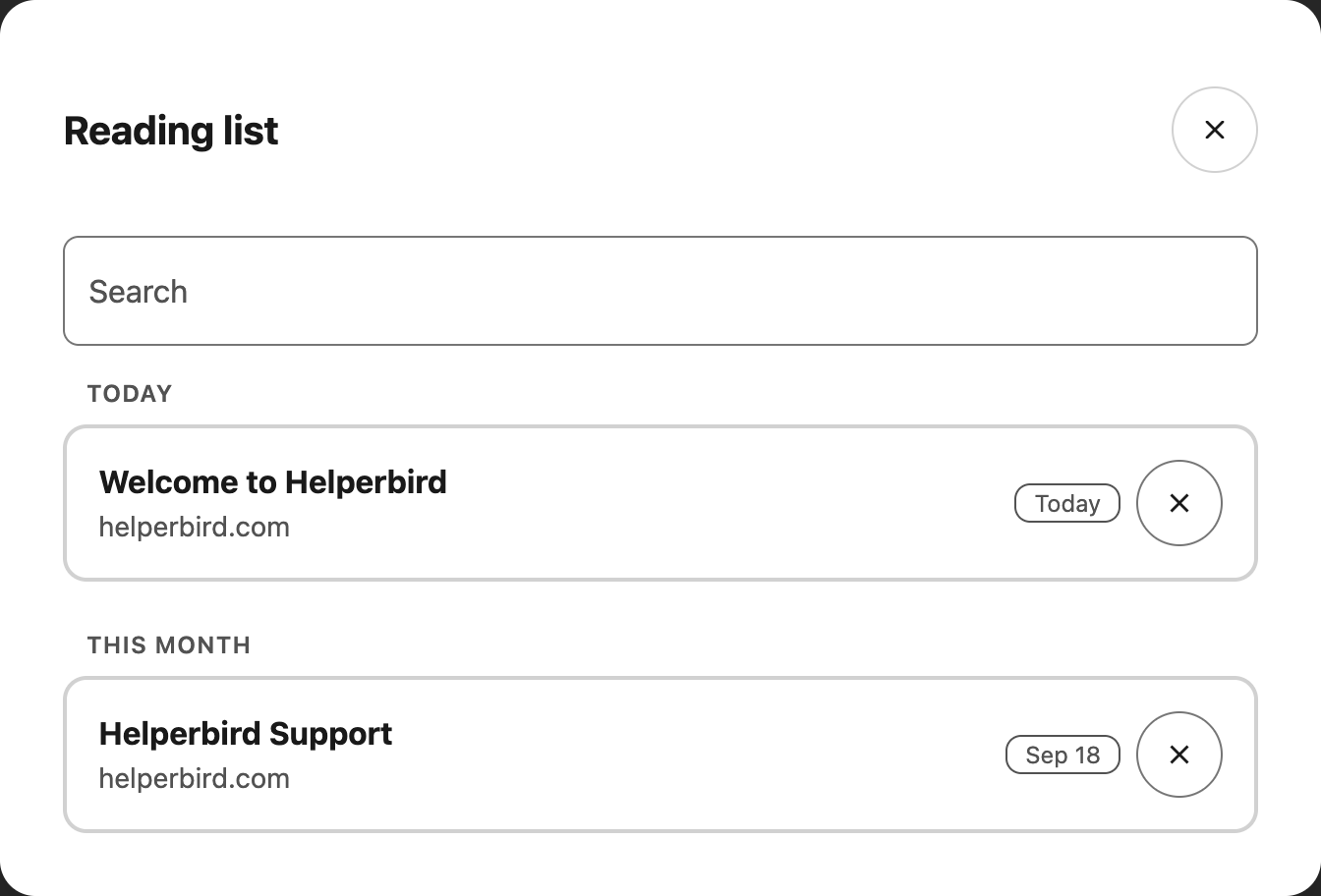
The Helperbird Reading list showing saved pages, each with its title, address and the date it was saved

The whole row is the link, so you do not need to aim at the title. If you are using a keyboard, tab to the row and press Enter.

There is no separate button to open a page. The only other control on a row is Remove, and that appears only when you hover over the row or move to it with the keyboard.


Reading It with Helperbird

Once the page opens, all of Helperbird's website tools work on it as normal. If you saved it because it looked like hard going, this is the moment for:


Video Tutorial

Coming soon


Need Additional Help?

If you have any questions or run into any issues, please contact the Helperbird support team. You can reach us at Helperbird support. We are happy to help you get the most out of Helperbird.

What People Are Saying

Join over 1,000,000 people who use Helperbird every day.

Have an amazing collection of assistive tools that have benefits for everyone. For me, the combination of Microsoft's Immersive Reader and Apple's reading machine voice (US Alex) makes Helperbird my first choice for processing web content.

Jim Sprialis

Jim Sprialis

Assistive technology specialist

Wow what great tool, I love it! Keep up the excellent work. Add more fonts in the future and cant wait for the ios version!!

A Google User

A Google User

Helperbird user

I've been meaning to write this review for a while now. My daughter is newly diagnosed with dyslexia and I heard an interview with Robert on a Newstalk podcast and sought it out. I wasn't sure if I had it installed correctly on her laptop and Robert was on straight away to help. He was amazing. This app has changed everything for my daughter. Everything is accessible to her and everyday tasks and schoolwork are so much easier. She also has visual stress so the coloured overlay feature is a game changer for her. I would highly recommend this app to anyone, she couldn't be without it now!

James Summer

James Summer

Helperbird user

This tool helps so many of our students at school - not only those students who have dyslexia, but students and adults who have other learning differences (and those who don't!). It helps ensure that all students have the opportunity to succeed in their learning!

Kim Norris

Kim Norris

Helperbird user

Thank you!! Love the tint feature.

A Google User

A Google User

Helperbird user

I found this extension on a whim to help myself. Suffering with post concussion syndrome symptoms and working remotely is really hard! This extension basically saved my job. It gave me back productivity and the ability to read the screen. This extension has so many neat features I never even knew I needed. I love this and you will too! You don't need to be dyslexic or have dyslexia for this extension to benefit you. Do yourself a giant favor and get it! I highly recommend it!

Catherine Contillo

Catherine Contillo

Helperbird user

Helperbird logo: Stylized owl with large yellow eyes and a beige face, against a green background.

Download Helperbird

Make browsing easier and more accessible with tools like Text to Speech, Immersive Reader, and more.