
How to Open Reading Mode from the Floating Toolbar

Learn how to strip a cluttered web page back to just the article with Reading Mode, straight from Helperbird's floating toolbar.

·

  • features
  • reading

What This Does

Reading Mode takes away the menus, adverts and sidebars and leaves the article, on a clean background, with an estimate of how long it will take to read.


Who is This For?

This is helpful for:

  • Anyone trying to read an article buried in adverts
  • People who find movement and clutter distracting
  • Students reading on a busy news or reference site
  • Anyone who wants to know how long a page will take before starting

Step 1: Open the Toolbar

If the toolbar is closed, it sits in the bottom-left corner as a single round button. Click it to open the row of tools.
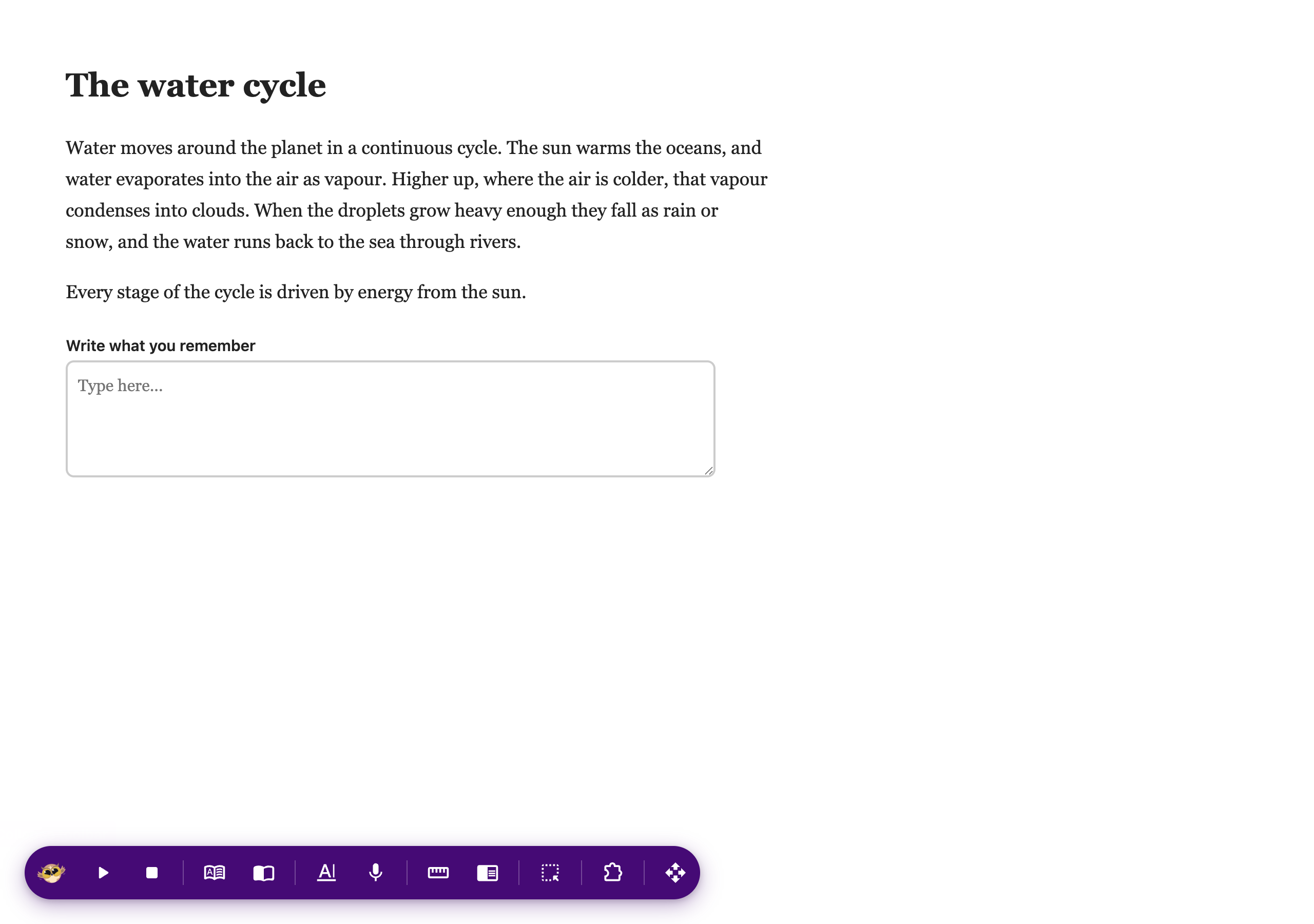
The Helperbird floating toolbar open along the bottom of a web page, showing its row of tools

If you do not see it at all, it needs turning on first. See how to turn on the floating toolbar.


Step 2: Use It

Press Reading Mode on the toolbar. The page is rebuilt as a clean article.

Close it with the X in the top corner to go back to the normal page.
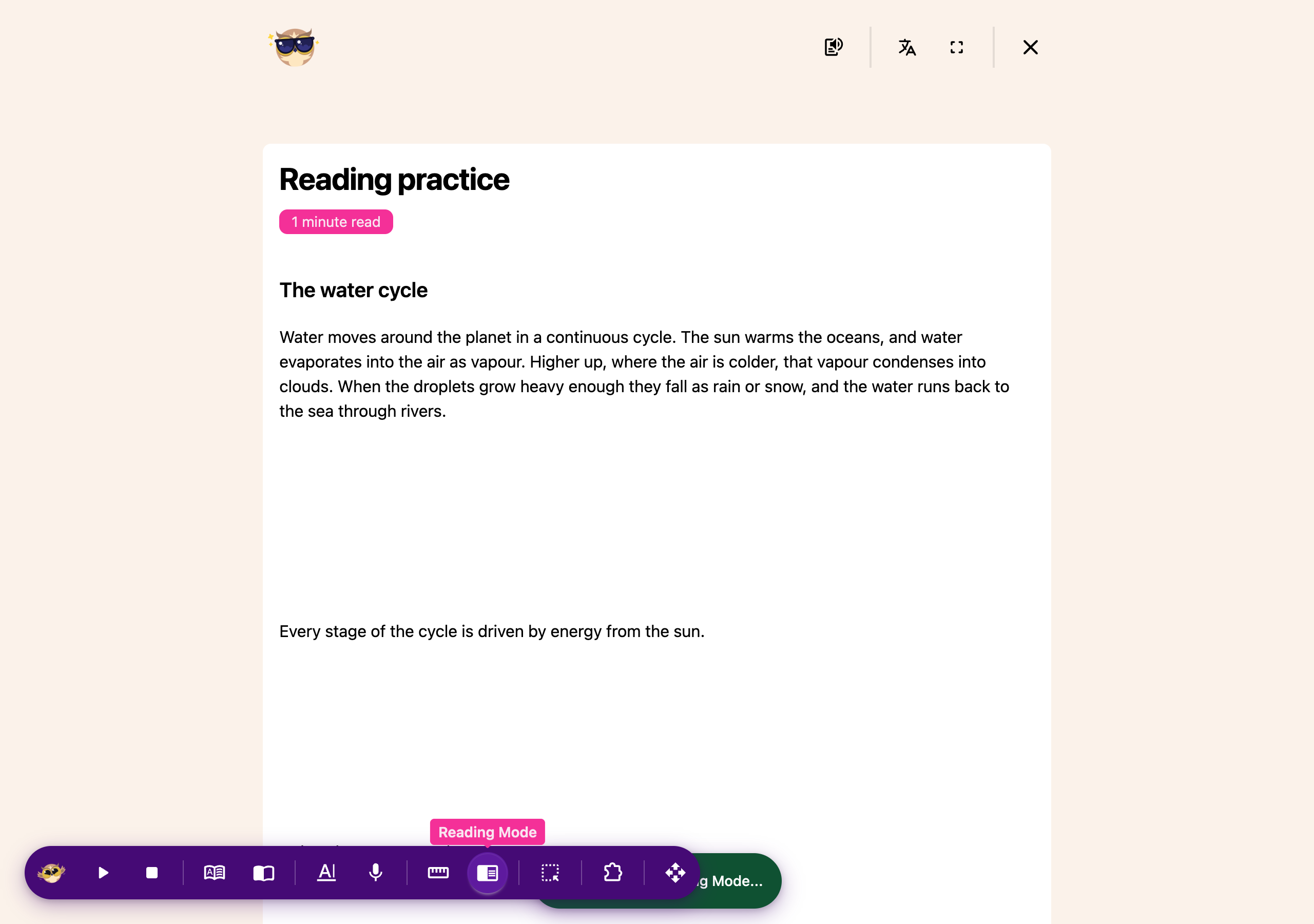
A web page opened in Reading Mode from the Helperbird floating toolbar, stripped back to just the article

Inside Reading Mode you also get buttons to have it read aloud, translate it, and go full screen.


Video Tutorial

Coming soon


Need Additional Help?

If you have any questions or run into any issues, please contact the Helperbird support team. You can reach us at Helperbird support. We are happy to help you get the most out of Helperbird.

What People Are Saying

Join over 1,000,000 people who use Helperbird every day.

this extension seems amazing so if that doesn't bother you, I say go ahead and get it!

Ana Robledo

Ana Robledo

Helperbird user

Love this extension works beautifully overall.

Pauline Olsen

Pauline Olsen

Helperbird user

I got this tool as an extension to try out first of all. I was amazed at what it can do in terms of accessibility. I have shown my friends and brother who suffer from dyslexia and they have all downloaded the extension. Great step forward from a company looking to help people!!

Luke Pottinger

Luke Pottinger

Helperbird user

So many useful features! This app is as helpful as it's name.

Courtney Hood

Courtney Hood

Helperbird user

I love and use Helperbird for Chrome and I think it's a great tool!

Walter Washburn

Walter Washburn

Helperbird user

Helperbird is a very useful and smartly designed tool that will most definitely make the browsing life of any user suffering from from dyslexia or is even remotely visually impaired a lot easier. It’s very easy to use, has the ability to synchronize settings on multiple devices, and is very efficient thanks to a useful set of straightforward customization options.

Vladimir Ciobica

Vladimir Ciobica

Helperbird user

Helperbird logo: Stylized owl with large yellow eyes and a beige face, against a green background.

Download Helperbird

Make browsing easier and more accessible with tools like Text to Speech, Immersive Reader, and more.