
How to Use Volume Booster on Any Website
Learn how to use Helperbird's Volume Booster to control the volume of every video on any website with one simple slider.
·
- features
What is Volume Booster?
Volume Booster lets you set the volume of every video on a webpage at once, from 10% up to 100%, using one simple slider. If a video starts off quiet or a site's own volume controls are fiddly to reach, Volume Booster brings every video up to full volume in one place so you can hear it clearly.
Who is This For?
Volume Booster is helpful for people with hearing difficulties who need videos at full volume, anyone watching videos that start off too quiet, users in noisy environments, people who find small in-player volume controls hard to use, and anyone who finds certain websites have quieter videos than others.
How to Enable Volume Booster
Step 1: Open Helperbird
Click the Helperbird icon in the top right corner of your browser to open the extension menu.
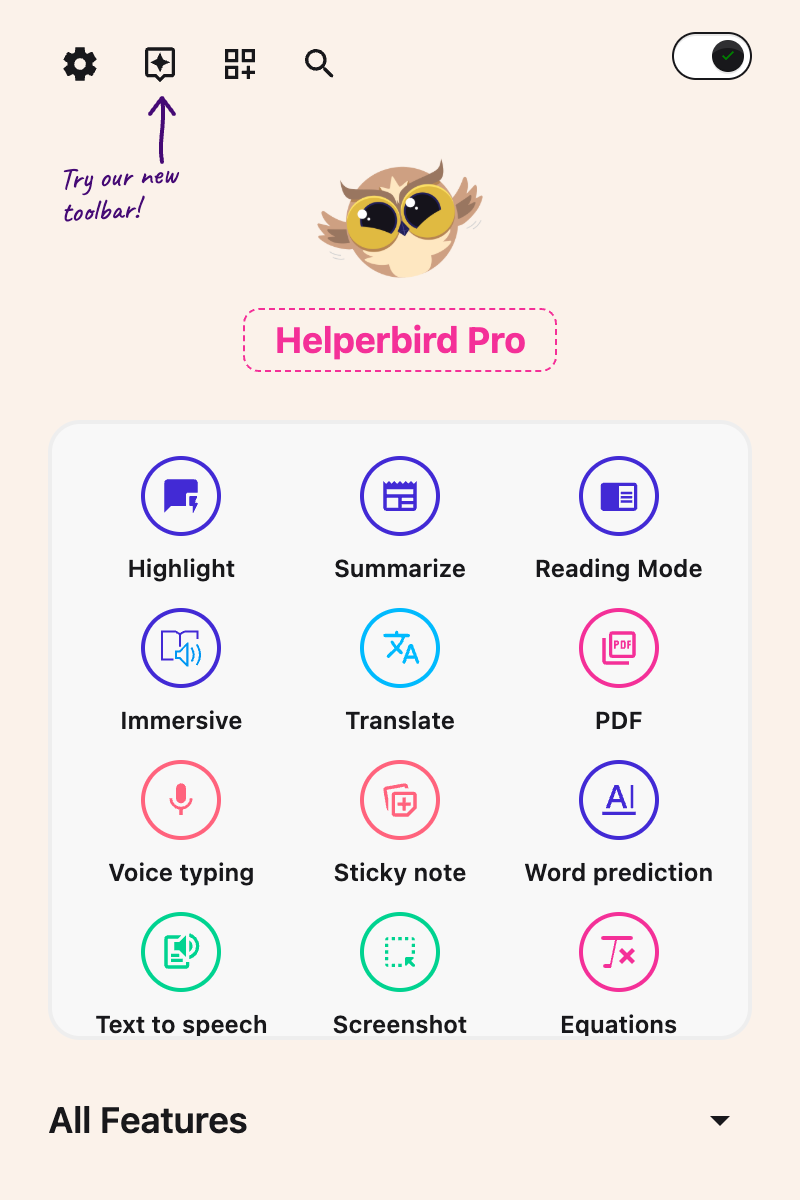
Step 2: Go to the All Features Section
Scroll down to the All Features section and expand it to see all available features.
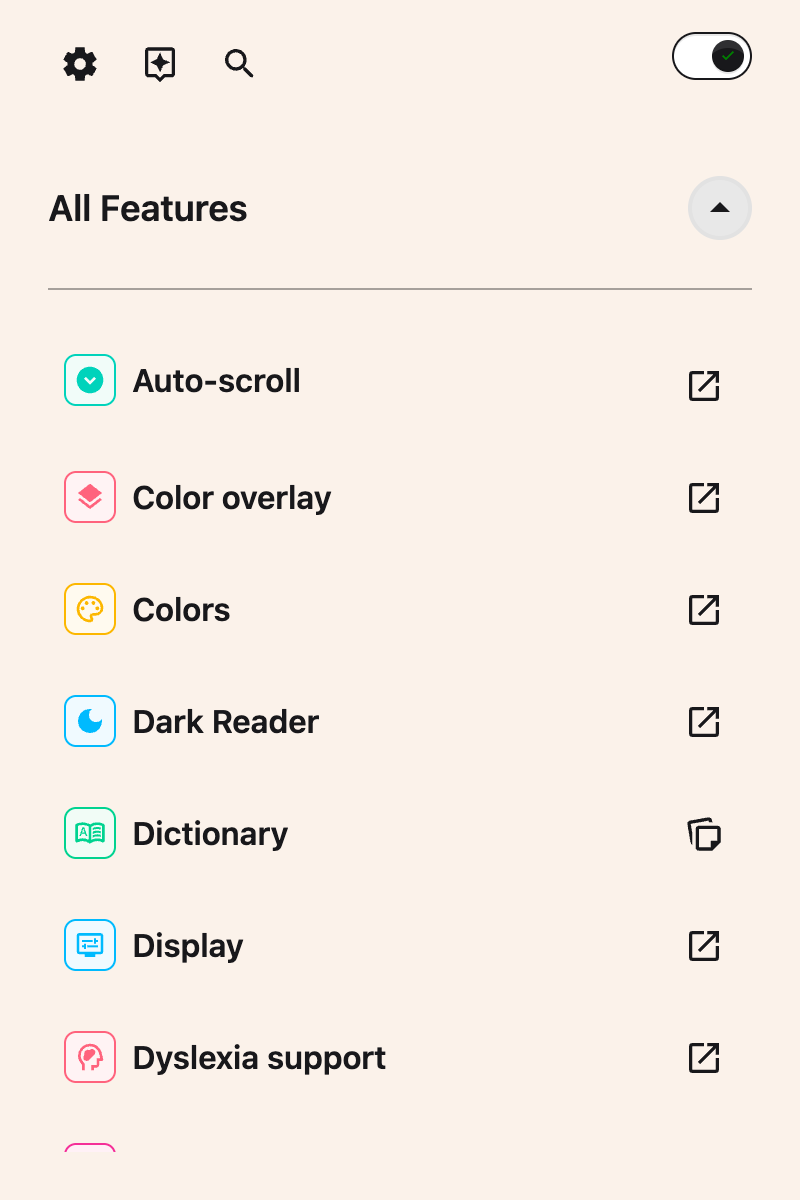
Step 3: Find Media Controls
Look through the list of features until you see Media controls. Volume boost lives inside this panel, alongside Playback speed.
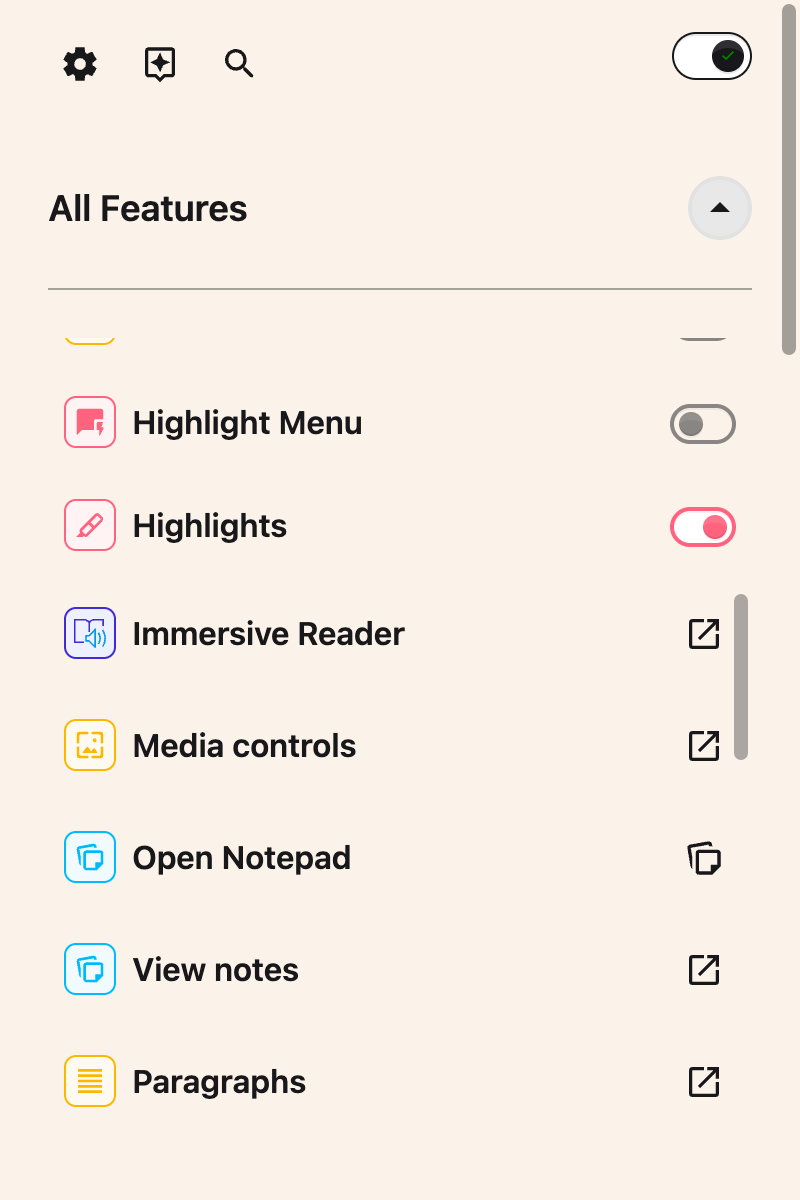
Step 4: Open Media Controls
Click Open on the Media controls row. The panel holds Playback speed and Volume boost.
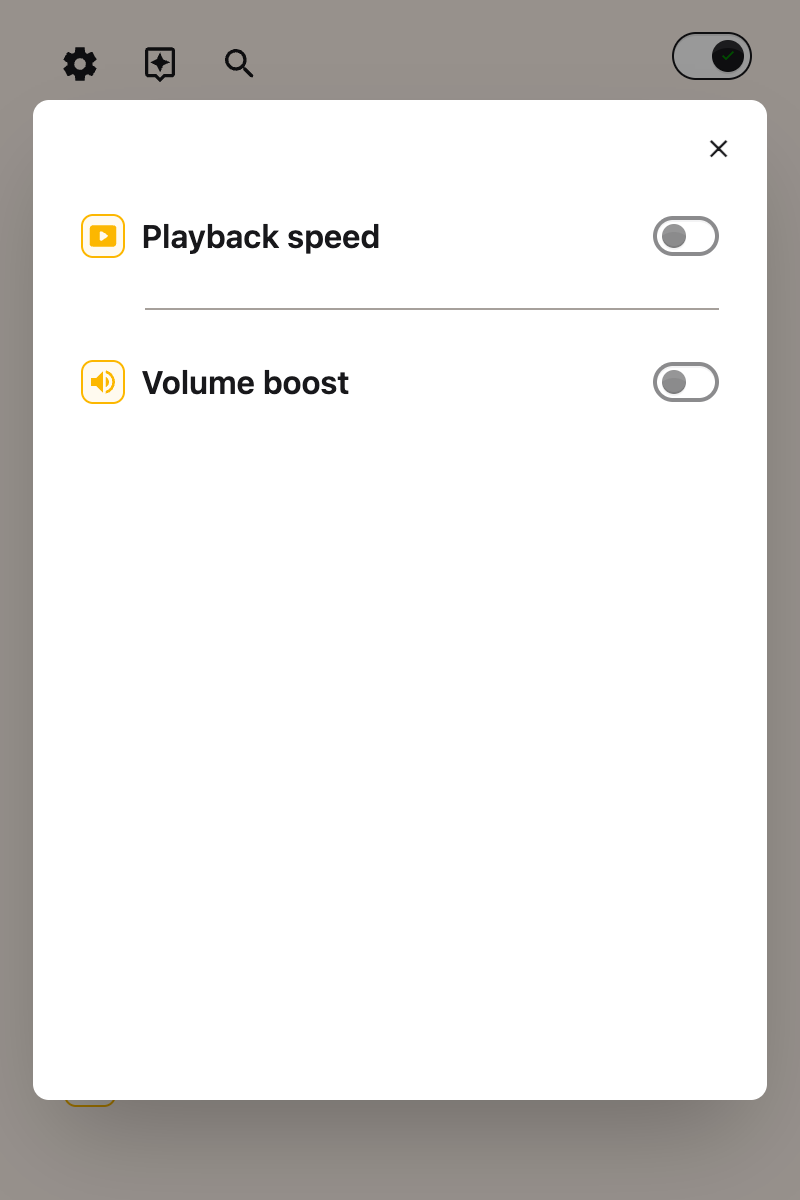
Step 5: Turn on Volume Boost
Click the toggle switch next to Volume boost to turn it on. The toggle will turn green when it is enabled.
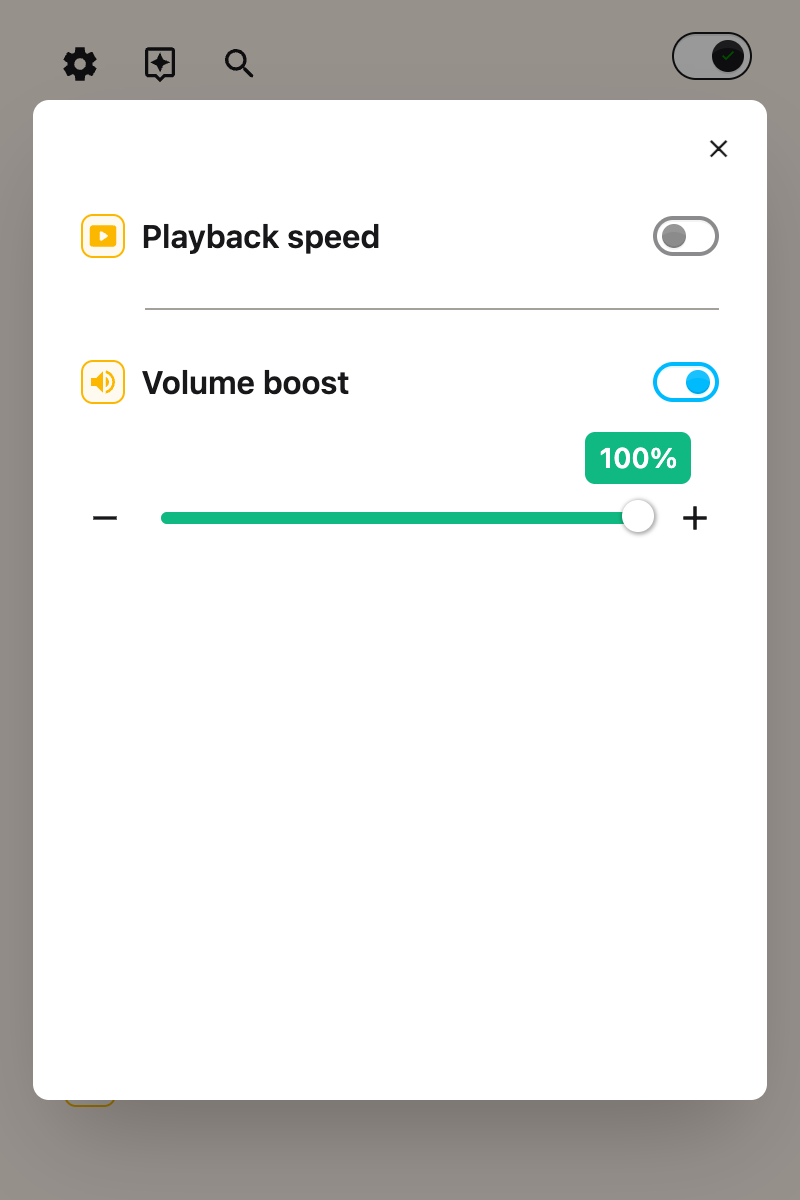
Step 6: Adjust the Volume
Use the slider, or the - and + buttons beside it, to set the volume anywhere from 10% to 100%. The bubble above the slider shows the current level.
Tip: The level you choose applies to every video on the page at once, so you don't need to adjust each player separately.
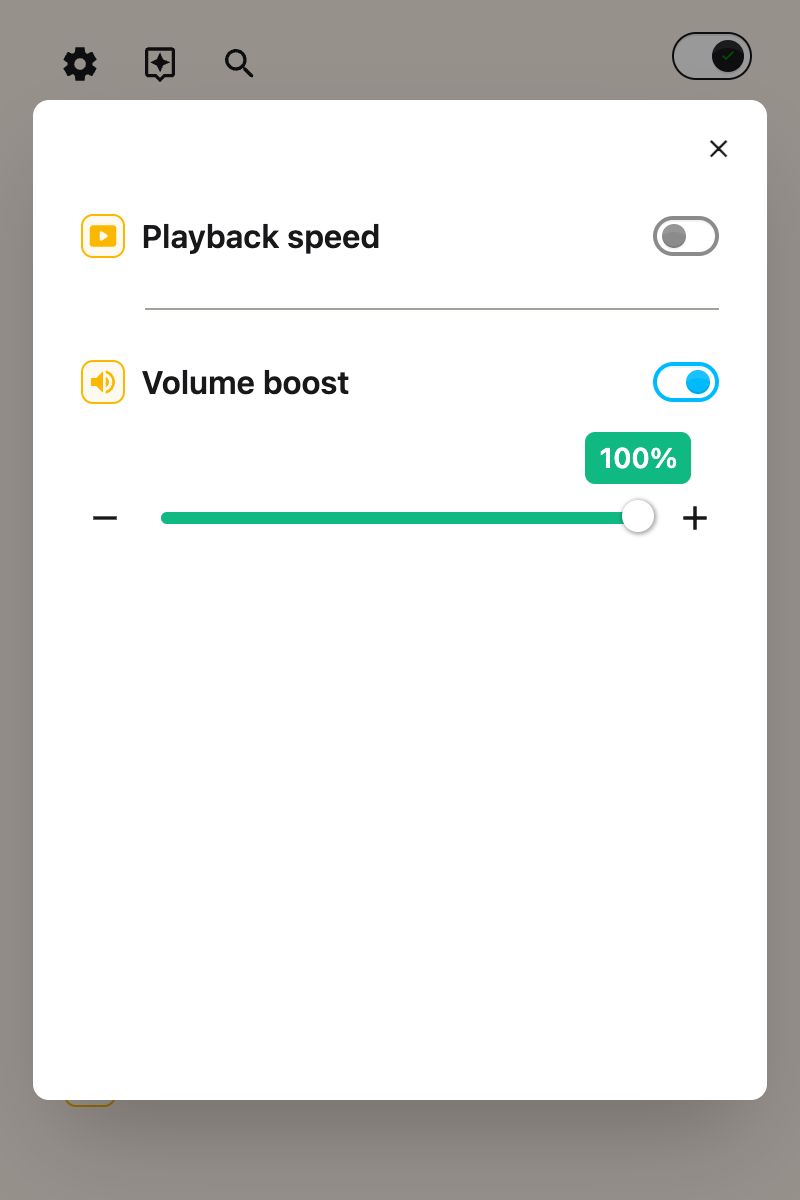
Using Volume Booster
Once enabled, your chosen volume applies to all videos on the current page. If you navigate to a new page, the same volume will continue to apply.
To return to full volume, move the slider back to 100%. You can also turn off the Volume Booster toggle to stop Helperbird from managing video volume.
Important Notes
Videos Only: Volume Booster controls video players on the page. Standalone audio-only players are not affected.
Maximum is 100%: Volume Booster sets each video to its own full volume. It does not amplify audio beyond that. If everything is still too quiet at 100%, turn up your device or speaker volume as well.
Related Guides
Need Additional Help?
If you have questions about Volume Booster, reach out to our Helperbird support team and we'll help you out!
Printed from the Helperbird Help Center · Updated August 13th, 2026
Questions? We are happy to help — helperbird.com/support