
How to Type Dictation Straight into the Page
Learn how to make Helperbird's voice typing put your words directly into the box you are typing in, including Google Docs, instead of into a separate panel.
·
- features
- writing
- accessibility
What This Does
Normally voice typing collects your words in a panel, and you copy them where you want them. With this on, the words go straight into whatever box you were already typing in, Google Docs included.
This is a beta feature, so it is still being worked on.
Who is This For?
This is helpful for:
- Anyone who dictates into Google Docs and is tired of copying and pasting
- People filling in long forms by voice
- Anyone who finds the extra copy step breaks their train of thought
Step 1: Turn It On
Beta features live on the settings page. Open Helperbird, open Options, choose Settings, and scroll to Beta features. See how to use beta features for the full route.
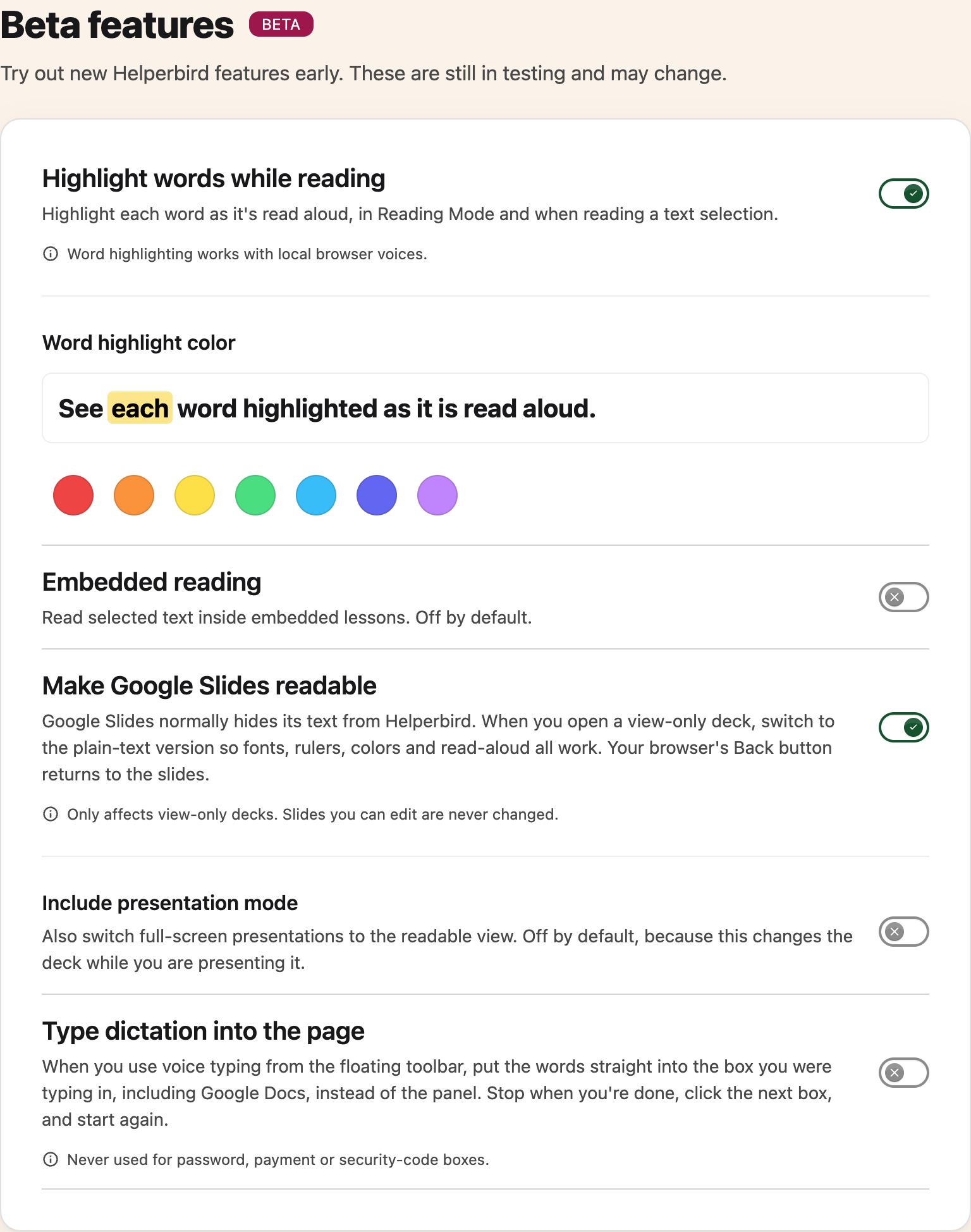
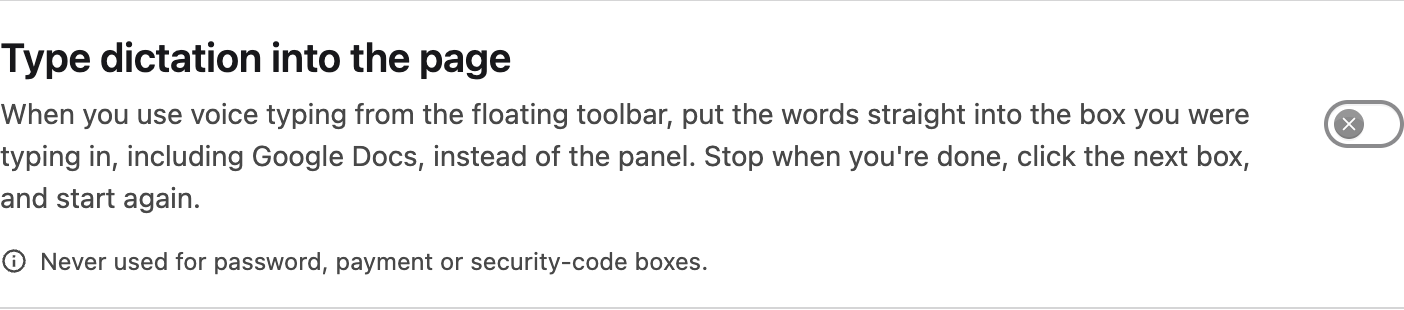
Turn on Type dictation into the page.
Step 2: Dictate
Click into the box you want to fill, then start voice typing from the floating toolbar. Your final recognized phrases are inserted there. Moving to the toolbar does not change the field you chose.
In Google Docs, click at the point where you want to add words, including inside an earlier sentence. Text you selected may be replaced, so check the cursor or selection before recording. Stop before moving to another insertion point.
Moving to the Next Box
Stop when you have finished with one box, click into the next one, and start again. It fills the box you are in, so it needs telling when you have moved.
If Insertion Cannot Finish
If a field disappears, becomes unavailable or cannot accept your words, the toolbar keeps the transcript. Stop recording, open More options, and use Copy to place it where you need it.
After 12 seconds without recognized speech, dictation stops. Closing or collapsing the toolbar stops it too and keeps the draft on the current page. Reopen the toolbar and press the microphone when you are ready to continue.
Where It Will Not Type
It never types into a password, payment or security-code box. That is deliberate, and it is not a limitation you can turn off.
Speaking a password aloud is a bad idea anyway, and having dictation land in a card number field would be worse. If you need to fill one of those, type it yourself.
Need Additional Help?
If you have any questions or run into any issues, please contact the Helperbird support team. You can reach us at Helperbird support. We are happy to help you get the most out of Helperbird.
Printed from the Helperbird Help Center · Updated September 22nd, 2026
Questions? We are happy to help — helperbird.com/support